컴퓨터 네트워크와 시스템의 기본 동작 원리를 이해하는 안내서
CORS는 Cross-Origin Resource Sharing의 약자로, 웹사이트가 다른 웹사이트의 리소스에 액세스할 수 있도록 도와주는 기능입니다. 이는 서버가 특정 요청이 CORS 헤더를 통해 허용된 경우만 응답을 보내도록 설정하는 것입니다. 문제는 서버가 Access-Control-Allow-Credentials 헤더를 설정하지 않아, 클라이언트가 서버에 자격 증명을 전송하려고 시도할 때 이를 허용하지 않는다는 것입니다. 이를 해결하는 방법은, 클라이언트 측에서 자격 증명을 사용하지 않도록 코드를 수정하는
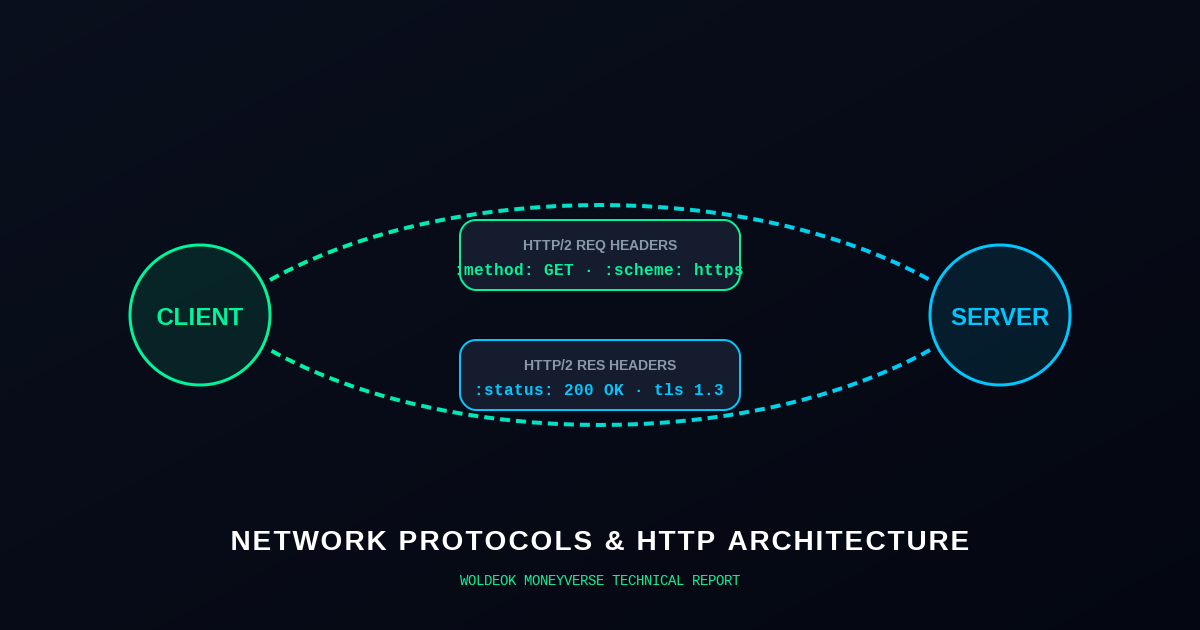
핵심 개념
CORS는 Cross-Origin Resource Sharing의 약자로, 웹사이트가 다른 웹사이트의 리소스에 액세스할 수 있도록 도와주는 기능입니다. 이는 서버가 특정 요청이 CORS 헤더를 통해 허용된 경우만 응답을 보내도록 설정하는 것입니다. 문제는 서버가 Access-Control-Allow-Credentials 헤더를 설정하지 않아, 클라이언트가 서버에 자격 증명을 전송하려고 시도할 때 이를 허용하지 않는다는 것입니다. 이를 해결하는 방법은, 클라이언트 측에서 자격 증명을 사용하지 않도록 코드를 수정하는 것입니다. XMLHttpRequest를 사용하는 경우, withCredentials 속성을 true로 설정하지 않아야 합니다. 서버에서 이벤트를 전송하는 경우, EventSource.withCredentials 속성이 false로 설정되어 있으면 이를 확인해야 합니다. Fetch API를 사용하는 경우, Request.credentials 속성이 "omit"이어야 합니다. 서버 측에서 해결책은 Access-Control-Allow-Credentials 헤더의 값이 "true"로 설정되도록 서버의 구성 변경입니다.
동작의 원리
Computer networking in computer systems is designed to facilitate communication between different devices and applications. This is achieved through mechanisms like computer networking, which operate based on protocols and standards. In the context of computer networking, the mechanism referred to as CORS (Cross-Origin Resource Sharing) is crucial for enabling secure communication between different domains or origins. CORS allows a server to specify which origins are allowed to access its resources, ensuring security by preventing unauthorized access. Its basic operation involves the server setting an Access-Control-Allow-Credentials header in its responses, indicating whether the server allows credentials (like cookies and HTTP authentication) to be sent with requests. If the value of this header is set to "true", it signifies that the server is willing to accept credentials in cross-origin requests, which is essential for applications that require authentication across different domains. However, if this header is not set to "true", it can lead to CORS errors, as the client cannot send credentials with requests to a server that does not allow them. To resolve this issue, developers should either ensure that their client-side code does not include withCredentials or, if necessary, modify their server's CORS policy to include the "Access-Control-Allow-Credentials: true" header.
구성 요소의 관계
CORS 오류는 클라이언트와 서버 사이의 통신 문제를 나타내며, 자격 증명을 서버에서 클라이언트로 전송하는 방법에 대한 서버의 헤더 설정이 문제일 수 있습니다. 서버에서 Access-Control-Allow-Credentials 헤더가 "true"로 설정되어 있지 않으면, 클라이언트는 서버가 자격 증명을 허용한다는 것을 인식하지 못하고 요청을 보내려 할 때 오류를 발생시킵니다. 이를 해결하기 위해, 클라이언트 측에서는 XMLHttpRequest 객체를 사용할 때 withCredentials 속성을 true로 설정하거나, Fetch API를 사용할 때 Request.credentials 속성을 "omit"으로 설정하면 됩니다. 서버 측에서는 Access-Control-Allow-Credentials 헤더를 "true"로 설정하여 클라이언트가 자격 증명을 허용한다는 것을 명확히 전달해야 합니다. 이렇게 하면 클라이언트와 서버 사이의 통신이 원활하게 이루어질 수 있습니다.
개념적 적용
CORS 오류는 서버에서 클라이언트가 자격 증명을 사용할 수 있도록 허용하지 않아 발생합니다. 서버의 Access-Control-Allow-Credentials 헤더의 값이 false로 설정되어 있으면, 클라이언트는 서버로부터 데이터를 가져올 수 없습니다. 이를 해결하려면, 클라이언트 측에서 자격 증명 사용을 요청하지 않도록 코드를 수정해야 합니다. XMLHttpRequest를 사용하는 경우, withCredentials 속성을 true로 설정하지 않았을 수도 있습니다. 서버에서 이 문제를 해결하기 위해서는, Access-Control-Allow-Credentials 헤더의 값이 true로 설정되어야 합니다. 서버의 구성 변경이 필요하다면, 이를 직접 서버 측에서 수정해야 합니다. 함께 보기로 다른 정보를 확인할 수 있습니다. 함께 보기에서 CORS에 대한 용어 사전과 소개를 찾아보세요.
흔한 오해
CORS 요청은 서버가 자격 증명 사용을 허용하도록 요구하지만, 서버의 Access-Control-Allow-Credentials 헤더의 값이 true 로 설정되지 않아 사용할 수 없습니다. 클라이언트 측에서 이 문제를 해결하려면, 자격 증명 사용을 요청하지 않도록 코드를 수정해야 합니다. XMLHttpRequest 를 통해서 요청을 생성하는 경우, withCredentials 를 true 로 설정하지 않았는지 확인해야 합니다. 서버 전송 이벤트를 사용하는 경우, EventSource.withCredentials 이 false 인지 확인해야 합니다. 서버의 구성을 변경하여 이 오류를 제거하려면, 서버의 Access-Control-Allow-Credentials 헤더 값을 true 로 설정해야 합니다. 이러한 오류는 서버와 클라이언트 간의 인증 정보 교환에 대한 명확한 이해가 필요하게 만듭니다. 잘못된 헤더 설정은 인증 정보를 서버 측에서 무시하게 만들 수 있습니다.
Official primary source
https://developer.mozilla.org/ko/docs/Web/HTTP/Guides/CORS/Errors/CORSMissingAllowCredentials