운영체제의 자원 관리와 프로세스 스케줄링의 기초 메커니즘
CORS 오류는 클라이언트와 서버 간의 정보 교환 과정에서 발생하며, 주로 서버 측의 Access-Control-Allow-Credentials 헤더 값이 false로 설정되어 있음으로 인해 발생합니다. 이 헤더는 클라이언트가 서버에 자격 증명을 전송할 수 있는지 여부를 결정하는 중요한 헤더입니다. 자격 증명이 필요하지 않은 경우 헤더 값은 false로 설정되며, 이를 허용하는 것은 보안을 강화하는 효과적인 방법입니다. 그러나 자격 증명이 필요하다면, 헤더 값은 "true"로 설정되어야 합니다. 이를 해결하기 위해
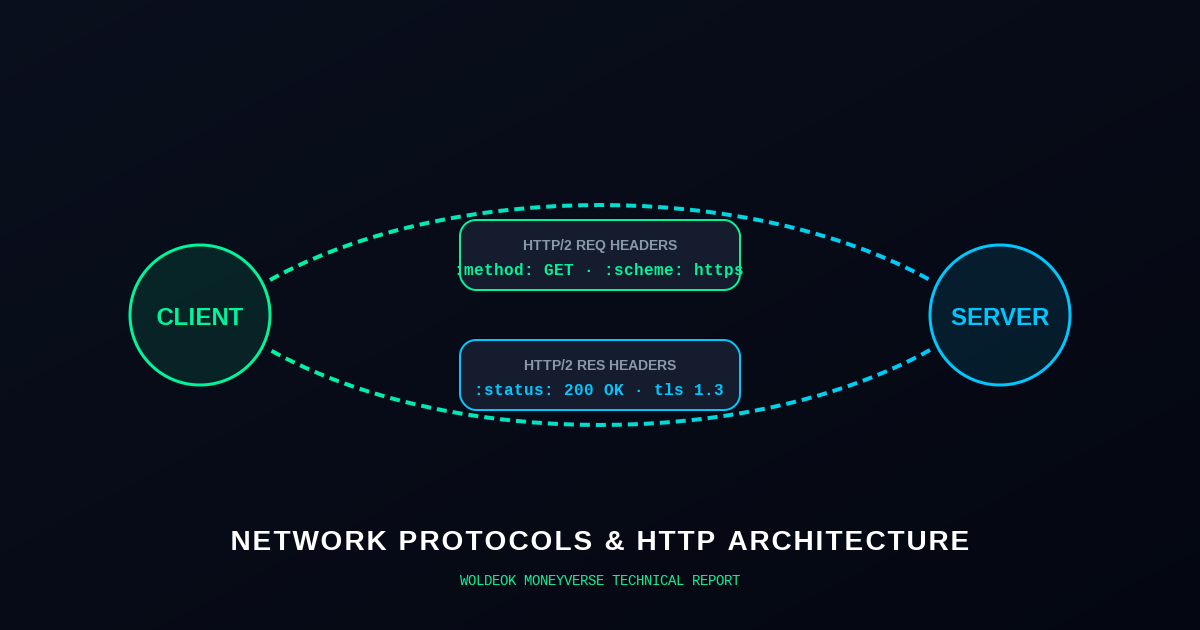
핵심 개념
CORS 오류는 클라이언트와 서버 간의 정보 교환 과정에서 발생하며, 주로 서버 측의 Access-Control-Allow-Credentials 헤더 값이 false로 설정되어 있음으로 인해 발생합니다. 이 헤더는 클라이언트가 서버에 자격 증명을 전송할 수 있는지 여부를 결정하는 중요한 헤더입니다. 자격 증명이 필요하지 않은 경우 헤더 값은 false로 설정되며, 이를 허용하는 것은 보안을 강화하는 효과적인 방법입니다. 그러나 자격 증명이 필요하다면, 헤더 값은 "true"로 설정되어야 합니다. 이를 해결하기 위해 클라이언트 측에서 자격 증명이 필요하지 않다는 것을 명시적으로 서버로 전달해야 합니다. 이를 위해 XMLHttpRequest 생성 시 withCredentials 속성을 true로 설정하거나, Fetch API 사용 시 Request.credentials 속성을 "omit"으로 설정하면 됩니다. 서버 측에서는 Access-Control-Allow-Credentials 헤더 값을 "true"로 설정하여 클라이언트 측의 요청을 허용해야 합니다. 이러한 조치를 취하면 CORS 오류가 해결될 수 있습니다.
동작의 원리
Computer networking in computer systems is designed to facilitate the exchange of data between different devices, regardless of their physical location. This is achieved through mechanisms that ensure data integrity and security. In the context of computer networking, a crucial mechanism is the use of protocols, such as HTTP, which define how data should be sent and received between devices. These protocols include features like authentication and encryption to secure the data being transmitted.
CORS, or Cross-Origin Resource Sharing, is a mechanism that allows a web server to specify which domains are allowed to access its resources. This is particularly important in modern web applications where data is often shared across different domains. The problem arises when a server does not set the Access-Control-Allow-Credentials header to true, which is a requirement for the client to authenticate when making requests. When this header is not set, the client cannot include credentials (like cookies or session tokens) in its requests, leading to CORS errors.
To address this issue, developers can modify their client-side code to avoid including credentials in requests where they are not needed. For example, if using XMLHttpRequest, it's important to ensure that the withCredentials property is set to false. Alternatively, for Fetch API, setting Request.credentials to "omit" can prevent credentials from being sent. On the server side, the Access-Control-Allow-Credentials header should be explicitly set to true to allow the client to authenticate its requests.
구성 요소의 관계
CORS 오류는 클라이언트와 서버 간의 통신을 방해하며, 특히 자격 증명 정보를 서버로 전송하는 데 필요한 정보를 서버 측에서 제공하지 않는 경우 발생합니다. 서버 측에서 오류를 해결하기 위해, Access-Control-Allow-Credentials 헤더의 값이 "true"로 설정되어야 합니다. 이 헤더는 클라이언트가 서버로 자격 증명 정보를 전송할 수 있는지 여부를 서버 측에서 명시적으로 지정합니다. 서버 측에서 이 헤더를 설정하지 않으면, 클라이언트는 자격 증명 정보를 서버로 전송하려고 시도할 때 CORS 오류를 받게 됩니다. 따라서 클라이언트 측에서는 이 헤더가 "true"로 설정되어 있는지 확인하고, 필요한 경우 헤더 값을 변경해야 합니다. 이를 위해, XMLHttpRequest 객체를 사용하는 경우 withCredentials 속성을 true로 설정하고, Fetch API를 사용하는 경우 Request 객체의 credentials 속성을 "omit"으로 설정해야 합니다. 이러한 조치를 취함으로써, 클라이언트와 서버 간의 통신이 원활하게 이루어질 수 있습니다.
개념적 적용
CORS 문제는 서버와 클라이언트 간의 통신에서 발생하며, 자격 증명을 사용하려는 클라이언트 요청이 서버에서 허용되지 않는 경우 발생합니다. 예를 들어, 클라이언트는 서버에서 사용자 인증 정보를 전송하려고 시도할 수 있습니다. 그러나 서버는 이 정보를 받을 수 있도록 "Access-Control-Allow-Credentials" 헤더를 "true"로 설정해야 합니다. 이 헤더가 "false"로 설정되어 있으면, 서버는 클라이언트가 서버에 자격 증명을 포함하도록 요청하지 않음을 인식하게 됩니다. 이를 해결하기 위해, 클라이언트 측에서는 XMLHttpRequest 객체를 사용할 때 withCredentials 속성을 "true"로 설정하거나, Fetch API를 사용할 때 Request.credentials 속성을 "omit"으로 설정하는 등의 방법이 있습니다. 서버 측에서는 "Access-Control-Allow-Credentials" 헤더를 "true"로 설정하여 클라이언트 요청을 허용하도록 수정해야 합니다. 이렇게 하면 서버와 클라이언트 간의 통신이 원활하게 이루어질 수 있습니다.
흔한 오해
CORS 요청은 서버가 자격 증명 사용을 허용하도록 요구하지만, 서버의 Access-Control-Allow-Credentials 헤더의 값이 true 로 설정되지 않아 사용할 수 없습니다. 클라이언트 측에서 이 문제를 해결하려면, 자격 증명 사용을 요청하지 않도록 코드를 수정해야 합니다. XMLHttpRequest 를 통해 요청을 생성하는 경우, withCredentials 속성을 true 로 설정하지 않았는지 확인해야 합니다. 서버 전송 이벤트를 사용하는 경우, EventSource.withCredentials 속성이 false 인지 확인해야 합니다. Fetch API 를 사용하는 경우, Request.credentials 속성이 "omit" 인지 확인해야 합니다. 서버의 구성을 변경하여 이 오류를 제거하려면, 서버의 Access-Control-Allow-Credentials 헤더 값을 true 로 설정해야 합니다. 이러한 오류는 클라이언트와 서버 간의 통신을 정확하게 설정하는 데 도움이 됩니다. 잘못된 헤더 설정은 CORS 요청을 처리하는 데 문제가 발생할 수 있습니다.
Official primary source
https://developer.mozilla.org/ko/docs/Web/HTTP/Guides/CORS/Errors/CORSMissingAllowCredentials